
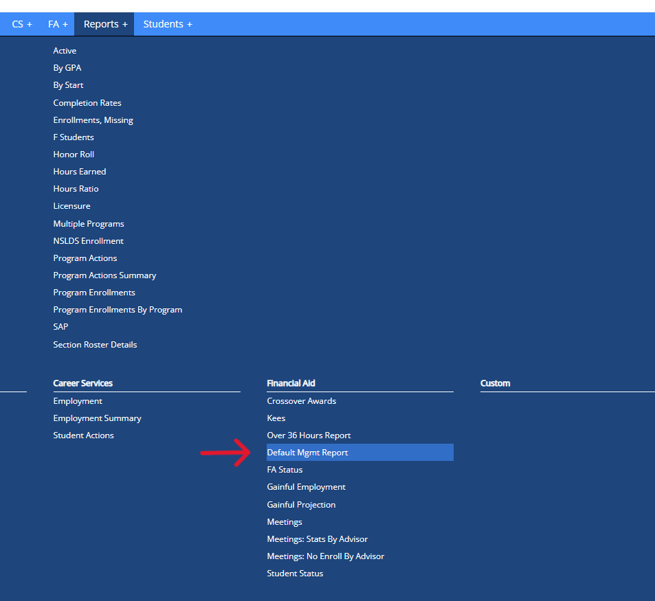
- To navigate to the report go to Reports > Financial Aid > Default Mgmt Report
- The report will display the following set of details for all students in VIAS for your selected school:
- Student's Name
- Address
- Phone Number
- Email Address
- Date of Birth
- Drop/Grad Date
- Program
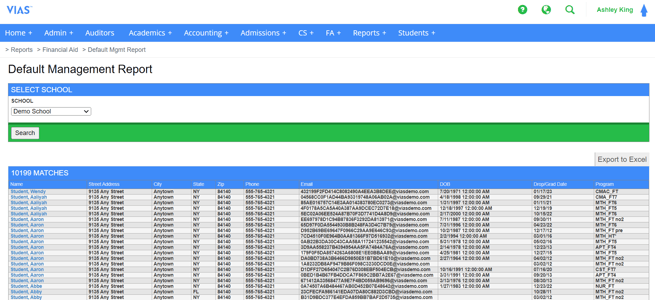
Tip: Users can export the report to Excel for easy filtering of information based on their needs.