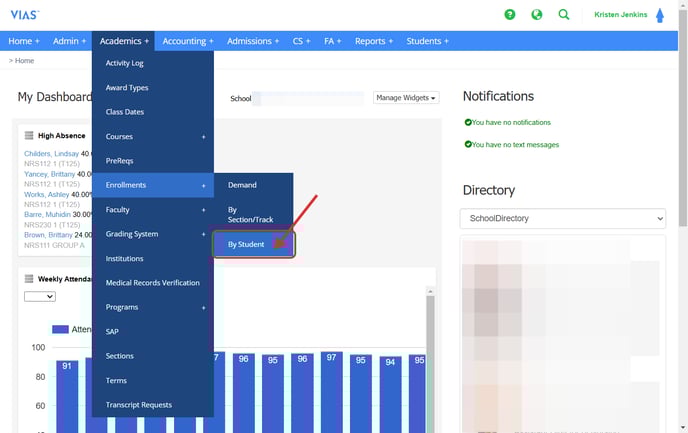
- Go to Academics > Enrollments > By Student
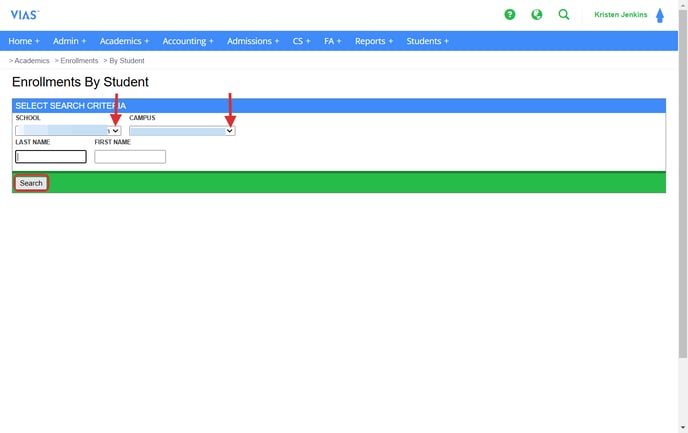
- Choose the school and campus.
- Type in the student’s last and first name.
- Click Search.
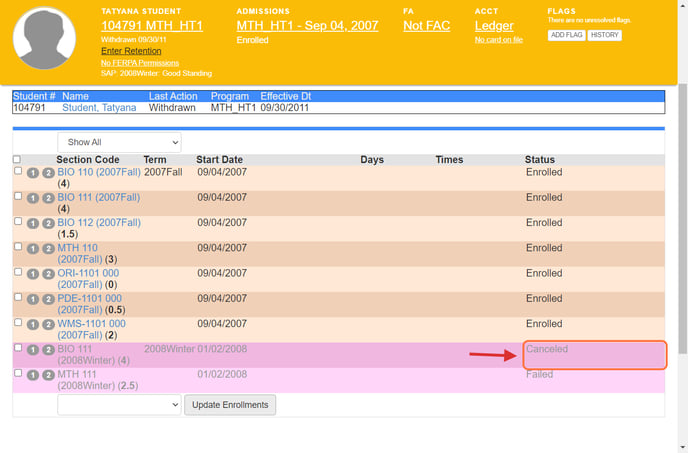
- Click the box next to the section that needs to be canceled.
- Use the drop down menu and click Cancel.
- Click Update Enrollments.

6. The section’s status will be labeled as canceled.