1. Go to Academics > Start > Manage.
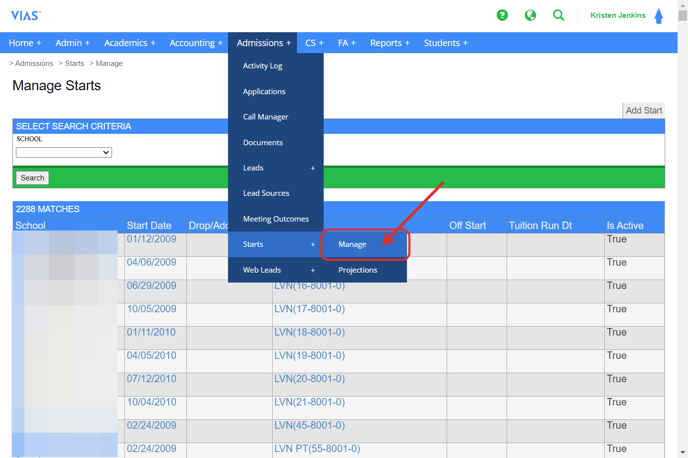
2. Choose your school/ campus.
3. Click Search.
4. Choose the start date you need to edit or adjust.

5. Make your corrections as needed.
6. Save Changes.

1. Go to Academics > Start > Manage.
2. Choose your school/ campus.
3. Click Search.
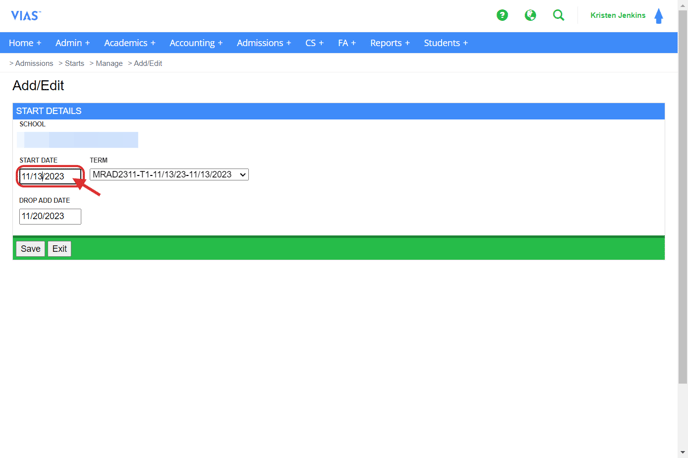
4. Choose the start date you need to edit or adjust.
5. Make your corrections as needed.
6. Save Changes.