
To access this query:
- Go to the Students Tab > Documents > click on Search

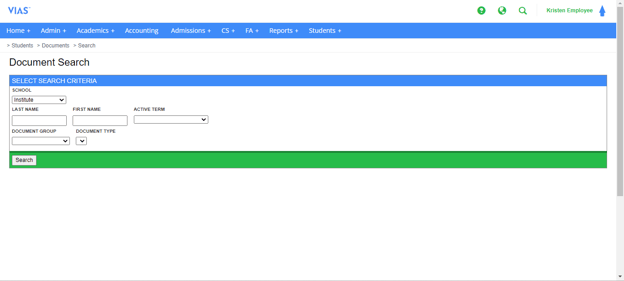
- Select the School
- Leave the first and last name blank and select the Active Term. This is the term that the students were active at the institution.
- You can select the Document Group and then select Document Type
- Click Search. This will yield a result of all active students in the term selected that have that Document Type in their Student File. You can also view these documents on each Student’s Page.
- You can leave the Document Type blank and click Search to view all of the Document Types in the Document Group selected.