
-
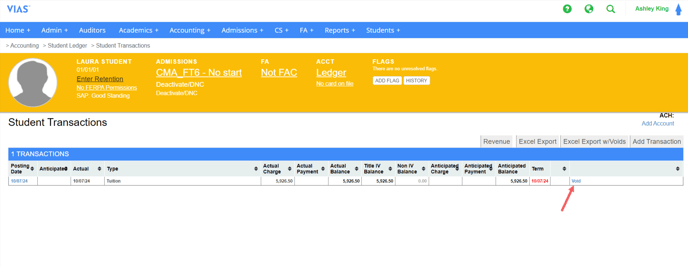
Identify a transaction that needs to be voided and click the void button at the end of the row.
-
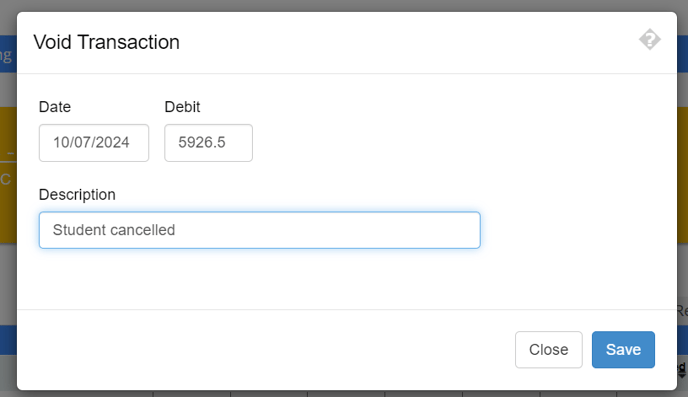
Enter a Description (optional) and click save
-
VIAS will post an opposing transaction in the same amount to void it.

-
After a transaction is voided, the original transaction and the void will not have the void button available.

-
Any corrections needed after a void has been made must be in the form of a new transaction
- For example, the student above had their full tuition of $5,926.50 voided. If this were done in error and this student should have been charged tuition, the void cannot be reversed. A new tuition transaction will need to be entered.
- For example, the student above had their full tuition of $5,926.50 voided. If this were done in error and this student should have been charged tuition, the void cannot be reversed. A new tuition transaction will need to be entered.