- Revenue can be run based on:
- Clock Hours
- Per Clock Hour
- Per Diem
- Monthly
- Credit Hours
- Per Diem
- Monthly
- Clock Hours
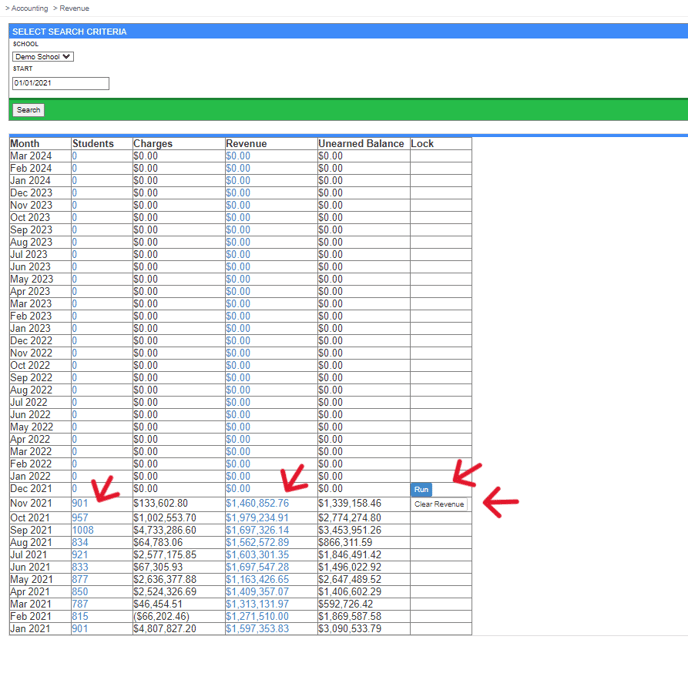
- Navigate to Accounting > Revenue.

- From here you can do the following:
- Run revenue by clicking Run
- Clear Revenue of the previously ran period
- Check the Revenue within a timeframe per student by clicking the student Number next to the desired date
- Check the Revenue for the month by clicking on the Revenue Dollar amount